


Coupons.com: How To Change Your Zip Code

Coupons.com has changed their layout recently and it can be a bit difficult trying to change your zip code. You can change it in the ‘Local’ tab, but for some reason the new zip code doesn’t want to stick so you can find the coupon you are looking for. To fix this problem, follow the steps listed below.

- Click Here to go to the Bayer Coupon Page, there aren’t any coupons listed but it does give you the ability to change your zip code.
- Change Your Zip Code on the Bayer Site and click the Arrow Button.
- Now go to Coupons.com and Look under the “Local” Tab. You should see the Zip Code has updated to the zip code you put in the Bayer Site
I know it seems like a lot of work, but when there is a zip code specific coupon, I will make the post as easy as possible. I put an example below that has a HOT coupon to print. Try it now!
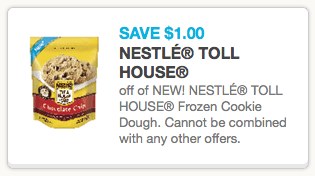
Go HERE to change your zip to 48090. Then, come back and go HERE to print your HOT $1/1 Nestle Toll House Cookie Coupon! This coupon will certainly come in handy with a sale!
Leave a Comment